Secure Document Sharing

Simplified

done

Simple

No need for user federation to enable access.

shield

Secure

Secure sharing of encrypted files with both internal team members and external parties.

sync_alt

Bidirectional exchange

The platform supports two-way file sharing, allowing users to both send files and request uploads from external parties.

features

category

Multiple deployment options

SecureShare is available either as a SaaS (Software as a Service) solution or as an on-premises installation within the customer's infrastructure.

web

Browser-based interface

No client software installation is required.

A modern web browser is all you need.

The interface is designed to be simple and intuitive.

storage

Multiple storage options

The platform supports file storage using either object storage (S3) or local disk.

lock

Strong encryption

To ensure maximum data protection, SecureShare employs client-side encryption when available, and all data is additionally encrypted at rest

email

Notifications

Users are instantly notified of all file uploads and downloads.

account_circle

Multiple authentication options

The platform supports local authentication, LDAP, Google and Microsoft (OAuth).
Interface

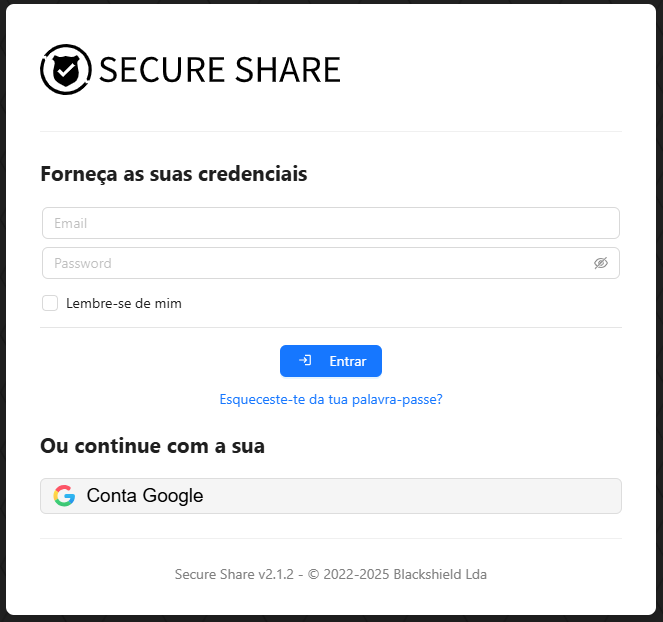
Screenshots of some of the SecureShare features.

Authentication

The SecureShare login screen provides a clean and user-friendly interface, allowing users to quickly access their accounts. It supports multiple authentication methods, including local accounts, Active Directory, and popular third-party options like Google and Microsoft via OpenID/OAuth. Designed for simplicity and security, the login process ensures that users can easily and safely enter the platform from any modern web browser.

File Manager

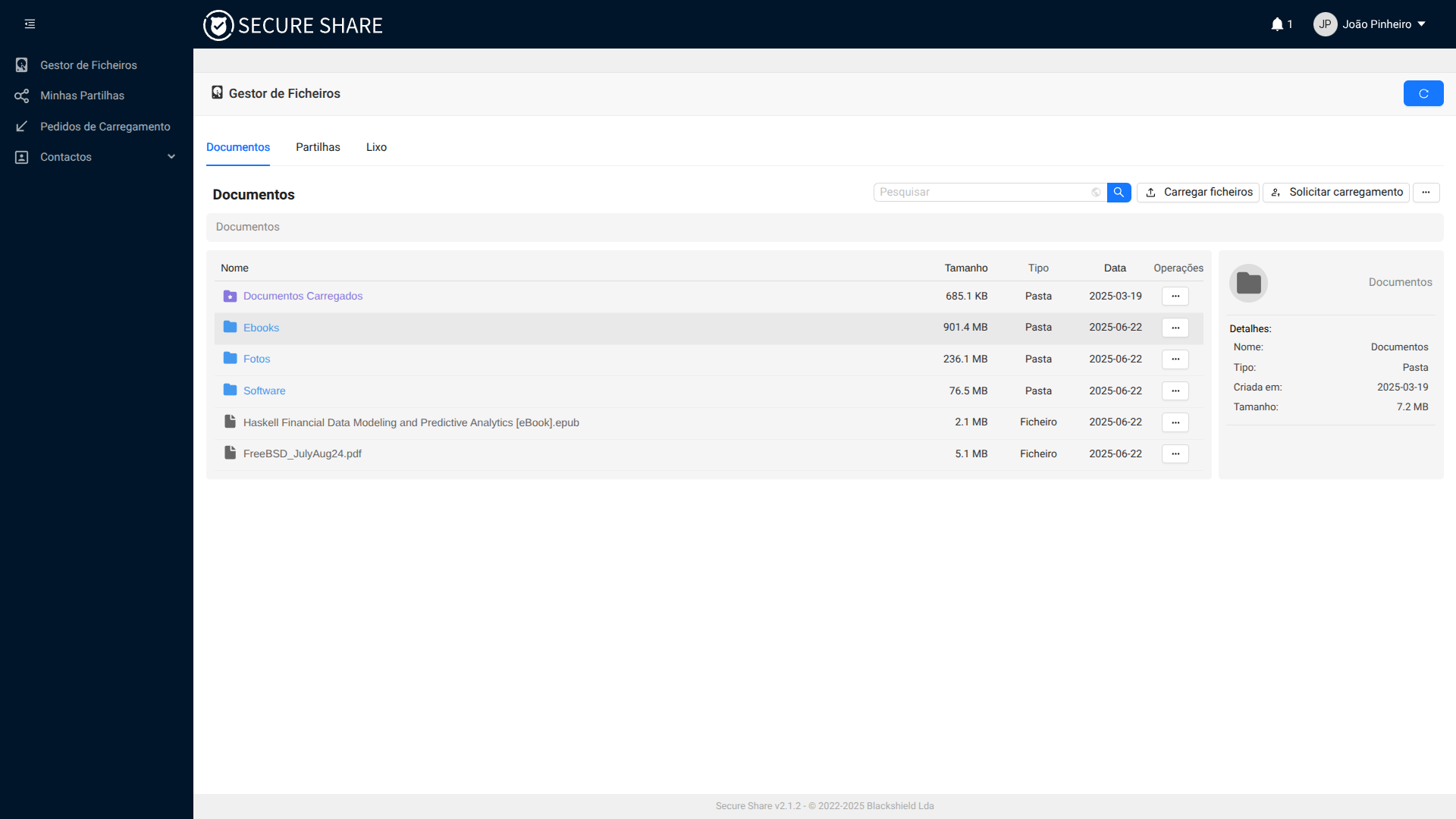
SecureShare’s file manager offers an easy-to-use interface for uploading, organizing, and sharing files securely. Users can create folders, drag and drop files, and manage permissions with just a few clicks. The platform supports both sending files to others and requesting files from external parties, making collaboration smooth and efficient—all while keeping data protected with strong encryption.

File Upload

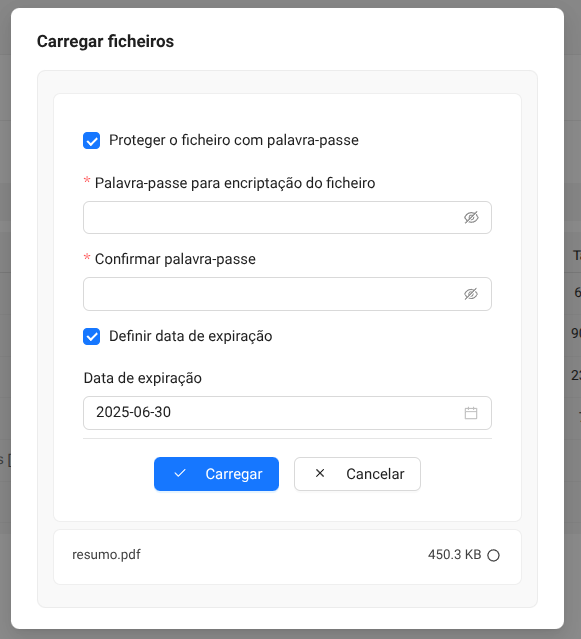
SecureShare allows users to upload files with flexible options to enhance security and control. When uploading, users can optionally set a password for extra protection and specify an expiration date to automatically limit file access. These features help ensure that shared files remain safe and are only available for the desired time period.

Upload Request

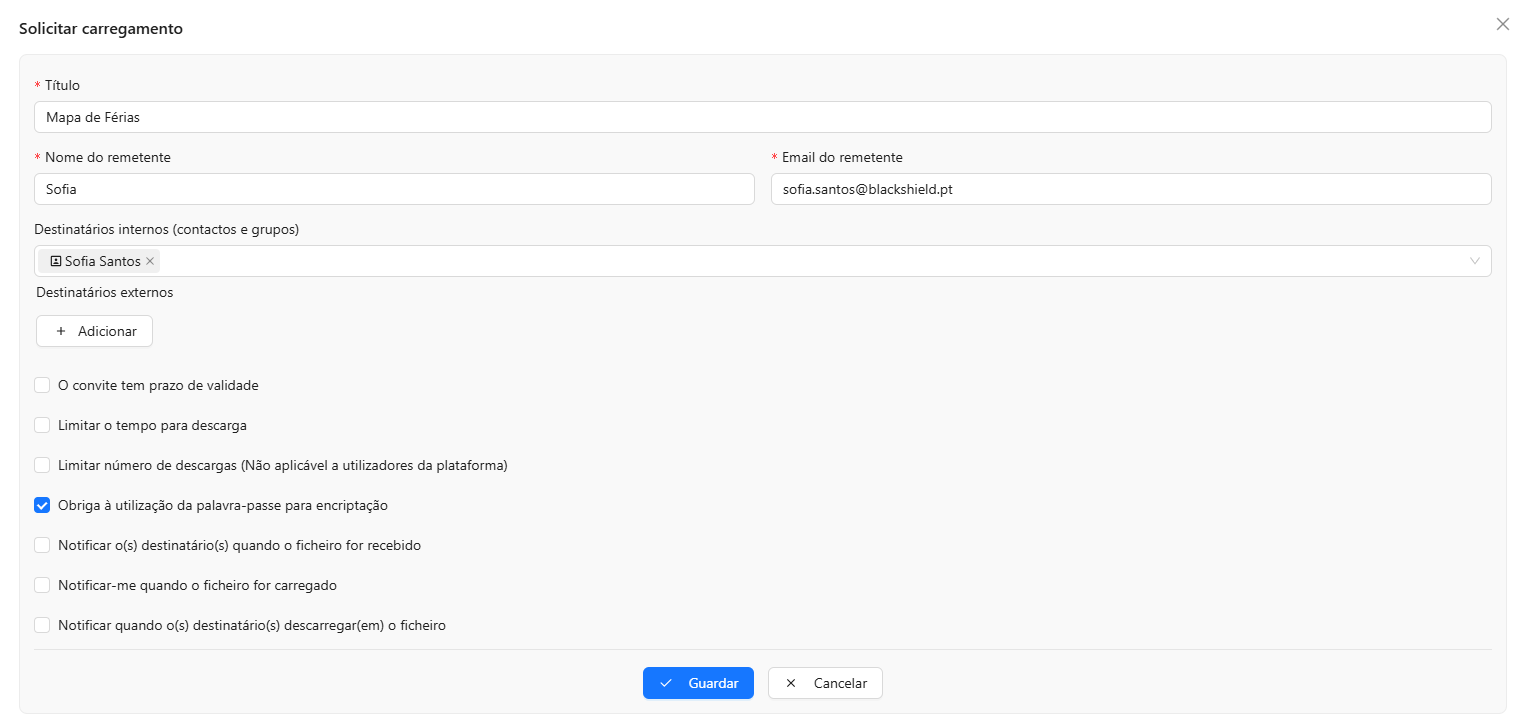
SecureShare’s upload request feature enables users to ask external parties to securely upload files directly to the platform. When sending an upload request, users can enhance security by requiring a password, setting a validity period for the invitation, and limiting the number of download attempts. These options give users full control over the upload process, ensuring that file submissions are safe, timely, and compliant with their access policies.

File Sharing

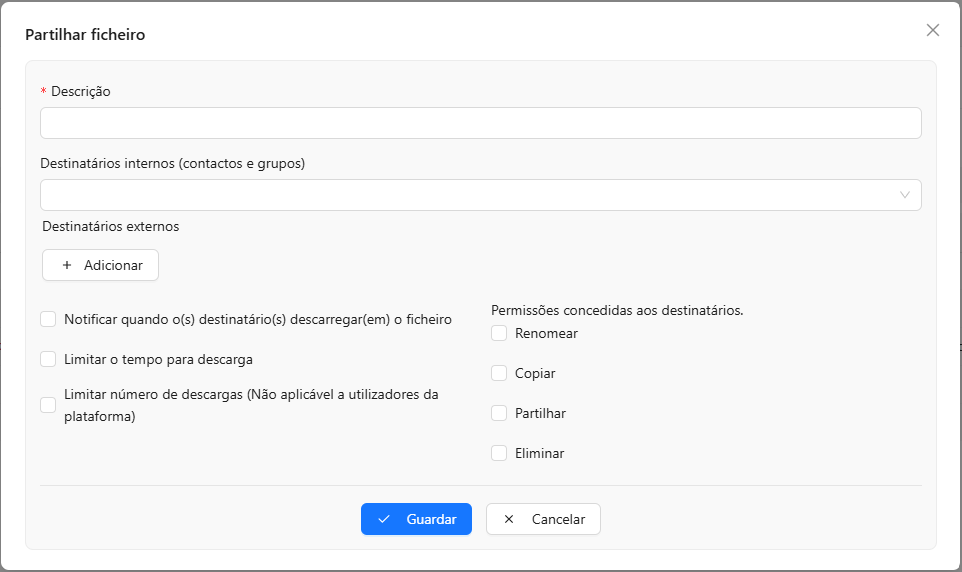
SecureShare’s file sharing feature allows users to securely share files with both internal platform users and external recipients. When sharing files, users can set an optional time limit to automatically expire access after a specified period. For platform users, granular permissions—such as view, download, or edit—can be assigned to ensure precise control over file access and collaboration.

About us

SecureShare is developed by BlackShield, a Portugal-based software development company specializing in cybersecurity.

Get in touch

Please contact us using the form below.
Our team will answer all your questions as soon as possible.

  • Blackshield, Lda
    Edifício Belino e Belino
    Rua Dra Lurdes Fernandes Almeida
    6290-359 Gouveia
    Portugal
  • info@blackshield.pt
  • blackshield.pt